Irobot Roomba Brush Not Spinning: Quick Fixes and Solutions
Is your iRobot Roomba’s brush not spinning? This can be frustrating, but it’s a common issue.
We’ll guide you through understanding why this happens and how to fix it. Your Roomba is designed to keep your floors clean with minimal effort from you. But sometimes, things don’t go as planned. If the brush stops spinning, your Roomba can’t clean effectively.
This problem can be caused by various factors, such as debris, worn-out parts, or technical issues. Understanding the root cause is the first step to a solution. In this blog post, we’ll explore possible reasons and provide simple fixes to get your Roomba back in action.

Credit: www.youtube.com
Common Causes
Discovering that your Roomba’s brush isn’t spinning can be a frustrating experience. However, understanding the common causes can help you troubleshoot effectively. Whether it’s tangled debris or worn-out components, identifying the root of the problem is the first step towards restoring your Roomba’s efficiency.
Debris And Blockages
It’s amazing how much your Roomba can pick up during its cleaning cycle. But sometimes, the very dirt and debris it’s designed to collect can clog the brush. Have you ever noticed strands of hair or threads wrapped around the brush? These common culprits can stop it from spinning.
Check under the Roomba’s hood regularly. You might find bits of paper or small toys stuck there. Simply removing these items can make a world of difference. Do you think your Roomba’s brush is clean enough to spin freely?
Don’t forget to clean the sides of the brush compartment too. Dust can accumulate, causing friction. Regular maintenance can prevent these blockages and keep your Roomba running smoothly.
Worn Out Brushes
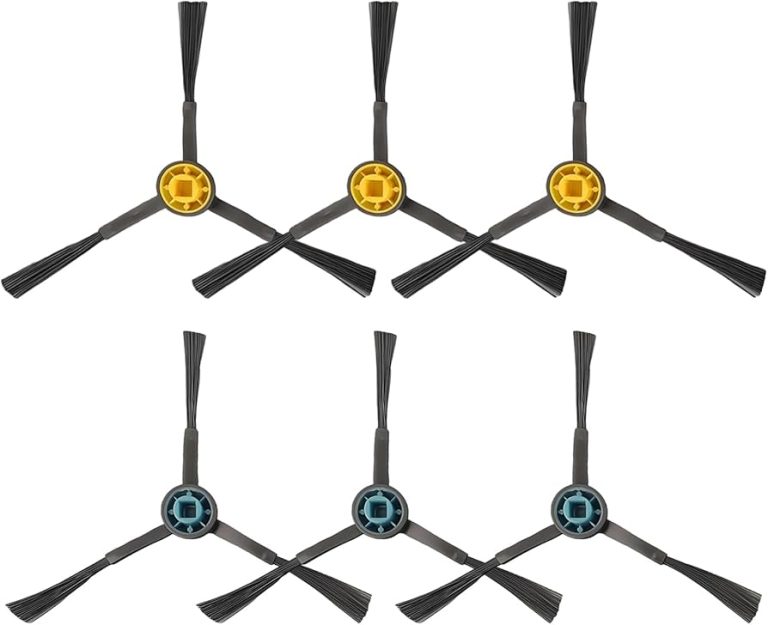
Brushes, like any other component, have a lifespan. Over time, they wear out and lose their effectiveness. When was the last time you replaced yours? If you’ve been using the same brush for a while, it might be time for a change.
Compare your brushes to a new set. Do they look frayed or thinner? A worn-out brush won’t spin properly, compromising your Roomba’s cleaning ability. Swapping them for fresh ones can rejuvenate your device.
Consider the environment your Roomba operates in. Are your floors particularly rough or abrasive? These conditions can accelerate brush wear. Regular inspection and timely replacement can ensure optimal performance.
Addressing these common causes with proactive care can keep your Roomba in top shape. Are you ready to give your Roomba the attention it deserves?

Credit: www.flame-lb.com
Initial Troubleshooting
Experiencing a non-spinning brush on your Irobot Roomba can be frustrating. Check for tangled hair or debris blocking the brush. Regular cleaning ensures smooth operation and efficiency.
Is your iRobot Roomba’s brush not spinning? Don’t worry. You might not need to rush out and buy a new one just yet. Sometimes, a little initial troubleshooting can save you time, money, and frustration. Let’s dive into some practical steps you can take right now.
Check For Error Messages
Before you start tinkering with your Roomba, take a moment to check for any error messages. Your Roomba is pretty smart; it usually tells you what’s wrong. Listen for audio alerts or check the app for notifications.
If you see an error code, make a note of it. This could guide you to a specific issue. Often, a simple reboot can clear minor glitches.
Inspect The Brush Area
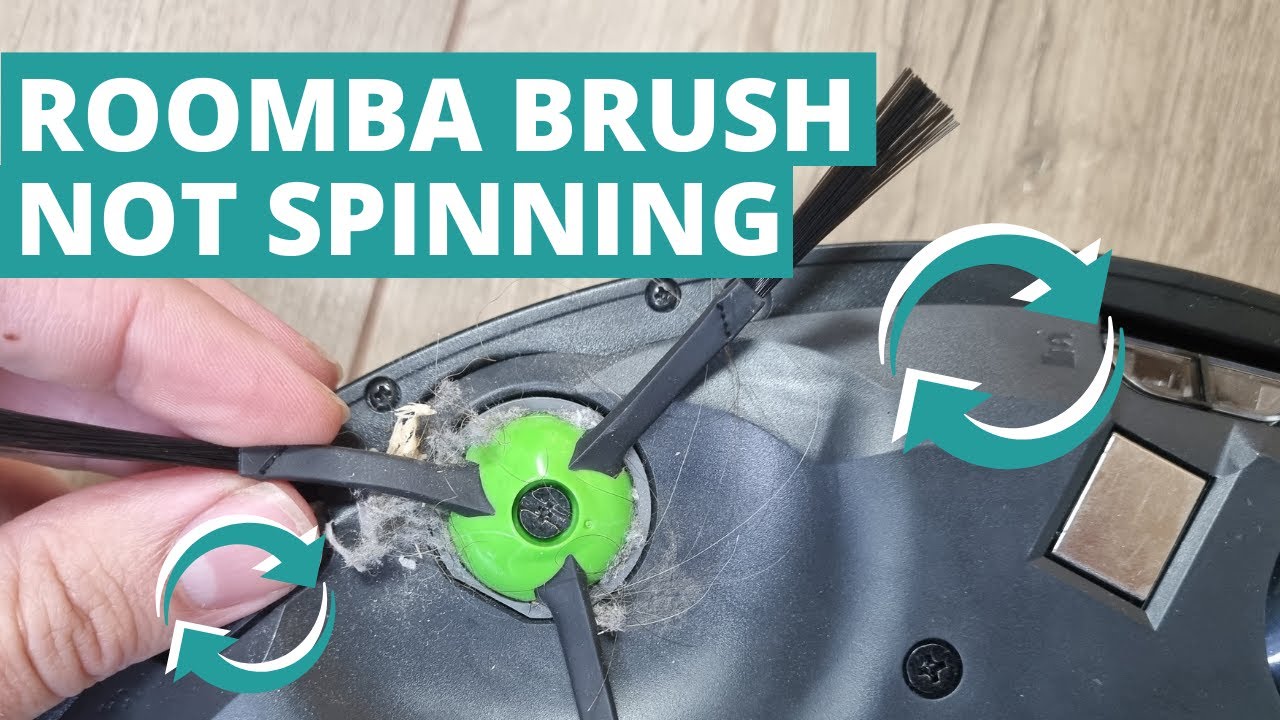
Flip your Roomba over and have a look at the brush area. Is there any debris tangled in the bristles? Hair, threads, or dust can easily get caught and stop the brush from spinning.
Use a pair of scissors or your hands to gently remove any tangles. Be thorough but gentle. A clean brush is key to a well-functioning Roomba.
It might be surprising how often a quick clean resolves the issue. But remember, regular maintenance can prevent this problem in the first place.
Have you ever faced a similar issue? What did you do? Share your thoughts in the comments below!
Cleaning The Brush
Roomba brush problems can arise from dirt or hair clogs. Regular cleaning ensures smooth operation and prevents spinning issues. Simple maintenance keeps your Roomba efficient, saving time and effort.
Cleaning the brush of your iRobot Roomba is crucial. It ensures optimal performance. Over time, debris can accumulate. This can cause the brush to stop spinning. Regular maintenance can prevent these issues. It also helps prolong the life of your device. Below, you will find steps to clean the brush effectively.
Removing Debris
First, turn off your Roomba. Safety first! Lay it upside down on a flat surface. This gives you easy access to the brush. Next, locate the brush guard. This is a plastic cover securing the brush. Open the guard by pressing the tabs on each side. Gently remove the brush from its slot. Be cautious to avoid damaging the brush.
Check the brush for tangled hair or string. Use your fingers to pull them away. Dispose of the debris properly. Examine the brush ends. Remove any dirt trapped there. This simple step can make a big difference.
Cleaning With Tools
iRobot often provides cleaning tools. These are designed for the brush. If you have one, use it. The tool makes cleaning easier and more effective. Slide the tool down the length of the brush. This helps dislodge stubborn debris.
If you don’t have a tool, a comb works too. Run the comb through the bristles. This helps remove any remaining dirt. Ensure the brush spins freely before reinstallation. Once clean, place the brush back in its slot. Secure the brush guard.
Regular maintenance keeps your Roomba efficient. Enjoy a cleaner home with less effort.
Replacing The Brush
When your iRobot Roomba brush stops spinning, it may need replacement. Replacing the brush can restore cleaning efficiency. It’s a straightforward process. You just need to follow simple steps. This guide will help you choose and replace the brush.
Choosing The Right Replacement
Selecting the correct replacement brush is important. Check your Roomba model before buying. Different models use different brushes. Look for the model number on your device. This number will guide you to the right brush. Always choose genuine parts for best performance.
Steps To Replace
Start by turning off your Roomba. This ensures safety. Flip the Roomba over. Locate the brush module. Use a screwdriver to remove the screws. Gently lift the brush module cover. Take out the old brush. Insert the new brush into the module. Make sure it fits snugly. Replace the module cover. Tighten the screws back. Turn your Roomba on. Test the brush by running a quick clean.
Motor Issues
The Roomba’s brushes play a crucial role in cleaning. They sweep dirt into the vacuum’s path. If they stop spinning, cleaning efficiency drops. Motor issues are a common cause of brush problems. Understanding motor trouble is essential for fixing the issue.
Identifying Motor Problems
Listen for unusual noises from the Roomba. A grinding sound often indicates a motor issue. If the brush spins intermittently, the motor may be failing. Check for visible obstructions around the brush. Debris can jam the motor, causing it to stop. Inspect the motor’s housing for signs of wear or damage.
Motor Replacement Guide
First, gather necessary tools. You’ll need a screwdriver for this task. Turn off the Roomba before beginning. Remove the bottom cover to access the motor. Note the motor’s position and connections. Disconnect wires carefully to avoid damage. Replace the old motor with a new one. Reattach wires and secure the new motor. Test the Roomba to ensure the brush spins correctly.

Credit: www.amazon.com
Firmware Updates
Firmware updates play a crucial role in maintaining your iRobot Roomba’s performance. They ensure your device runs smoothly and efficiently. Sometimes, a brush not spinning can be linked to outdated firmware. Regular updates can fix bugs and improve functionality. This section will guide you through checking and updating your Roomba’s firmware.
Checking For Updates
First, connect your Roomba to Wi-Fi. This is essential for receiving updates. Open the iRobot Home app on your smartphone. Navigate to the settings menu. Look for the “Software Update” or “Firmware” section. Here, you can check for any available updates. If an update is available, you will see a notification. Ensure your Roomba is charged before proceeding.
Updating The Firmware
Once you have identified an available update, start the process. Keep your Roomba connected to the Wi-Fi network. Tap on the “Update” button in the app. This will begin the update process. Make sure your device remains on its charging dock. Interruptions during updates can cause issues. The update may take a few minutes. Once complete, restart your Roomba. Check the brush to see if the issue is resolved.
Preventive Maintenance
Regular cleaning keeps the Roomba brushes spinning smoothly. Dust and debris can jam the brushes, leading to performance issues. Regular maintenance ensures your Roomba operates efficiently, extending its lifespan.
When your iRobot Roomba’s brush stops spinning, it can be frustrating. Preventive maintenance is key to keeping your Roomba running smoothly. By dedicating a little time to care for your device, you can avoid costly repairs and ensure it performs at its best. Let’s dive into some practical ways to maintain your Roomba and keep those brushes spinning effortlessly.
Regular Cleaning
Cleaning your Roomba regularly can make a significant difference in its performance. Dust and debris can accumulate around the brushes, causing them to stick.
Consider setting a weekly schedule to check the brush area. Remove any tangled hair or fibers with a brush cleaning tool or scissors.
Make it a habit to wipe down the brush compartment with a damp cloth. This simple routine can keep your Roomba running smoothly.
Proper Storage
Proper storage of your Roomba can help extend its lifespan. When not in use, store it in a cool, dry place away from direct sunlight.
Avoid leaving it on the charging dock for extended periods. Instead, let it rest after a full charge.
Think about the last time you stored a device improperly, leading to damage. By storing your Roomba correctly, you can prevent unnecessary wear and tear.
Ask yourself: are you doing enough to keep your Roomba in top shape? Small preventive actions can save you time and frustration down the line.
When To Seek Professional Help
So, you’ve been enjoying the convenience of your iRobot Roomba, but suddenly, the brush stops spinning. You’ve tried the usual fixes, yet the problem persists. Is it time to seek professional help? Knowing when to call in the experts can save you both time and frustration.
Identifying Severe Issues
There are minor hiccups that you can handle yourself, like cleaning the brush or removing tangled hair. But what if the brush still refuses to spin despite your best efforts?
Perhaps the Roomba makes strange noises or shows error messages you can’t decode. These could be signs of deeper mechanical issues or malfunctioning sensors.
It’s like when your car stalls unexpectedly. You can check the gas, but if it still won’t start, you know it’s time for a mechanic. Recognizing severe issues early can prevent further damage.
Contacting Customer Support
When simple troubleshooting fails, reaching out to customer support is your next step. You might wonder, “Will they really help?” Rest assured, customer support teams are trained for such situations.
Prepare to explain the problem in detail. Mention any error codes or unusual sounds. This helps them diagnose the issue more accurately.
Why struggle alone when you can get expert advice? Sometimes, a quick call can provide the clarity you need to solve the problem.
Have you ever spent hours trying to fix something, only to find out a simple solution existed? Contacting customer support could be your shortcut to resolving the issue efficiently. Give it a try and see the difference it makes.
Conclusion
Fixing your iRobot Roomba brush not spinning issue is simple. Follow the steps mentioned. Check and clean the brush regularly. Inspect for debris. Replace worn-out parts. These steps ensure your Roomba works efficiently. A well-maintained Roomba keeps your home clean.
Troubleshooting can save you time and money. Regular maintenance prevents future problems. Enjoy a hassle-free cleaning experience. Keep your Roomba in top shape with these tips.